

Operate infrastructure from one place
Good Gateway gives people and AI agents one governed place to publish applications, connect private services, operate Docker and databases, manage TLS, and control who can change each resource. Start in the web interface or connect Codex, Claude Code, and other compatible agents through authenticated MCP. The same scopes, approvals, Tasks, and audit history apply either way.
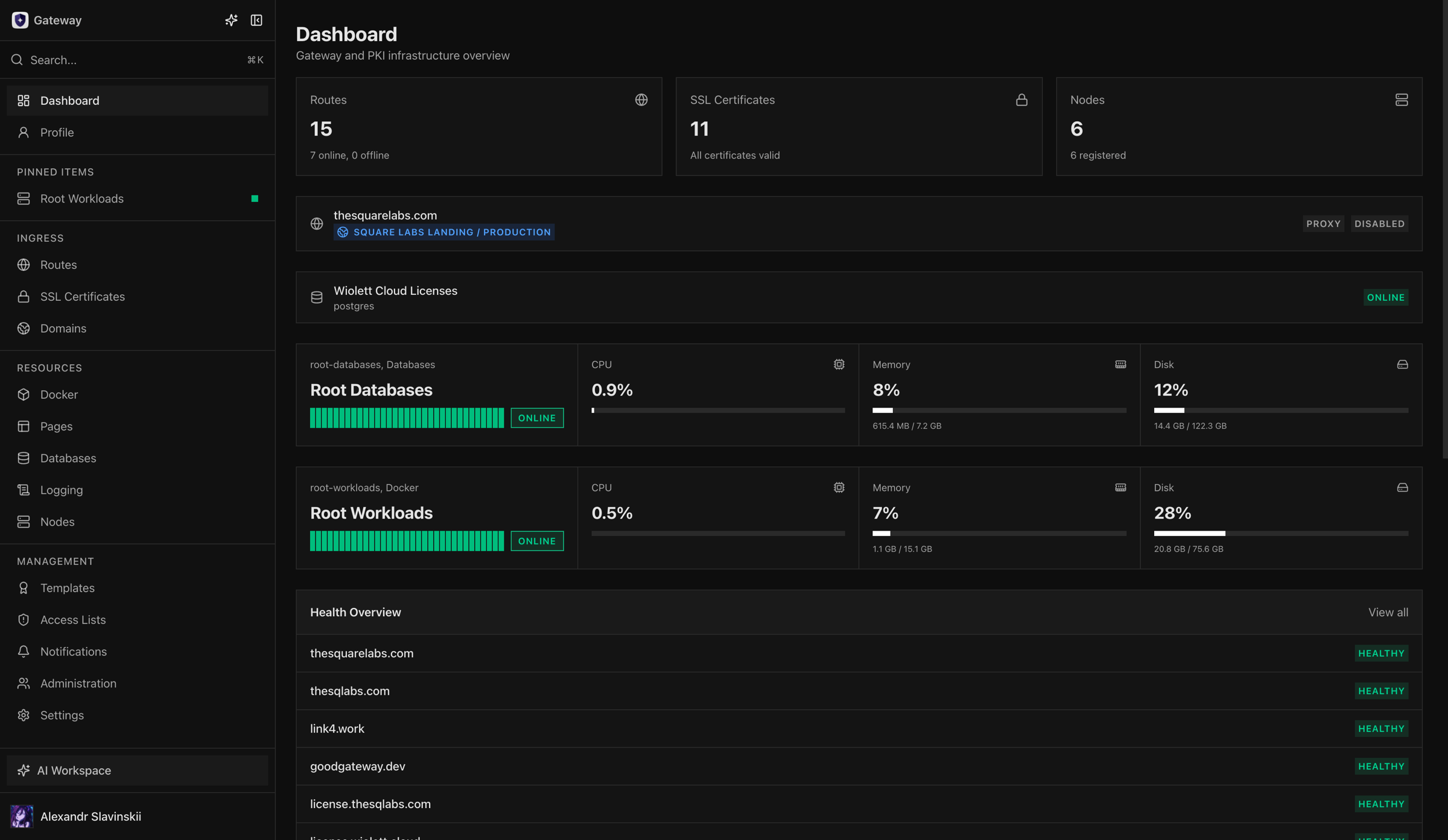
Give your coding agent infrastructure context
Section titled “Give your coding agent infrastructure context”Install the Good Gateway skill to teach a compatible agent how Gateway resources, permissions, asynchronous Tasks, delivery, verification, and rollback fit together:
npx skills add the-square-labs/gateway-skills --skill using-gatewayThe skill provides operating knowledge; Gateway MCP provides authenticated access to your installation. Follow AI agent skills to install the skill and connect Codex or Claude Code without sharing API tokens.
Start with a complete workflow
Section titled “Start with a complete workflow”- Evaluating the product: start with Product tour, Architecture, and Capabilities.
- Installing a new instance: follow Requirements, Install Gateway, and Initial setup.
- Publishing an application: use the complete Publish an application journey.
- Connecting an application to a private database: use Private application database.
- Operating production: read Production readiness checklist, Updates and backups, and Incident runbook.
- Connecting an AI agent: install the Good Gateway agent skill and connect through authenticated MCP.
- Integrating other tools: use Scopes, tokens, and OAuth and REST API and MCP.
The product model in one minute
Section titled “The product model in one minute”Gateway is the control center, while your servers continue to run the actual applications and data services. Managed Nodes connect outbound through Gateway Relay, receive only the operations assigned to their role, and report the real result back. Gateway keeps permissions, resource relationships, operation history, and recovery state in one place.
The most important resource chains are:
Publish an application
A domain receives HTTPS traffic, and a Route sends each request to the right application.
%%{init: {"themeVariables": {"fontSize": "20px"}}}%%
flowchart LR
    domain["Domain"] --> certificate["TLS"] --> route["Route"] --> upstream["Application"]
Build and deploy from Git
Gateway turns source code into a versioned artifact and deploys it as a workload.
%%{init: {"themeVariables": {"fontSize": "20px"}}}%%
flowchart LR
    repository["Git"] --> worker["Build Worker"] --> artifact["Artifact"] --> workload["Workload"]
Connect an application to a database
A private binding gives the application its own database identity without exposing the database publicly.
%%{init: {"themeVariables": {"fontSize": "20px"}}}%%
flowchart LR
    application["Application"] --> binding["Private binding"] --> identity["Database identity"]
Turn health signals into alerts
Gateway turns service health and events into notifications for people, status pages, and SIEM systems.
%%{init: {"themeVariables": {"fontSize": "20px"}}}%%
flowchart LR
    events["Health and events"] --> notifications["Notifications"] --> consumers["Status / SIEM"]
What this documentation includes
Section titled “What this documentation includes”This portal combines four kinds of material:
- Guides: goal-oriented instructions for configuring a capability.
- Journeys: complete happy paths spanning multiple Gateway areas.
- Runbooks: operational diagnosis, recovery, updates, and disaster preparation.
- Reference: stable terminology, ports, feature status, plans, and security boundaries.
Roadmap-only capabilities are labeled explicitly and must not be treated as available runtime features.
This documentation portal and the Good Gateway product site are built from Git and published as immutable deployments with Good Gateway Pages. The production site therefore exercises the same build, release-tag, preview, and rollback path documented here.