
Product tour
Good Gateway brings everyday infrastructure work into one place: publish an application, connect it to a private database, verify its state, and manage access without manually assembling disconnected procedures on servers. Start with the result you need; Gateway keeps the details of each operation in resources, Tasks, and the audit log.
Follow the application path
Section titled “Follow the application path”- Prepare Gateway and add your first Node.
- Run the application in Docker or build it from Git.
- Create a Domain, TLS certificate, and Route to make the application available to users.
- If needed, create a managed database and a private binding.
- Grant the team access through groups and configure notifications.
For a complete first launch, follow the application publishing journey. If the application already has a database, continue with the private database journey.
Where work starts
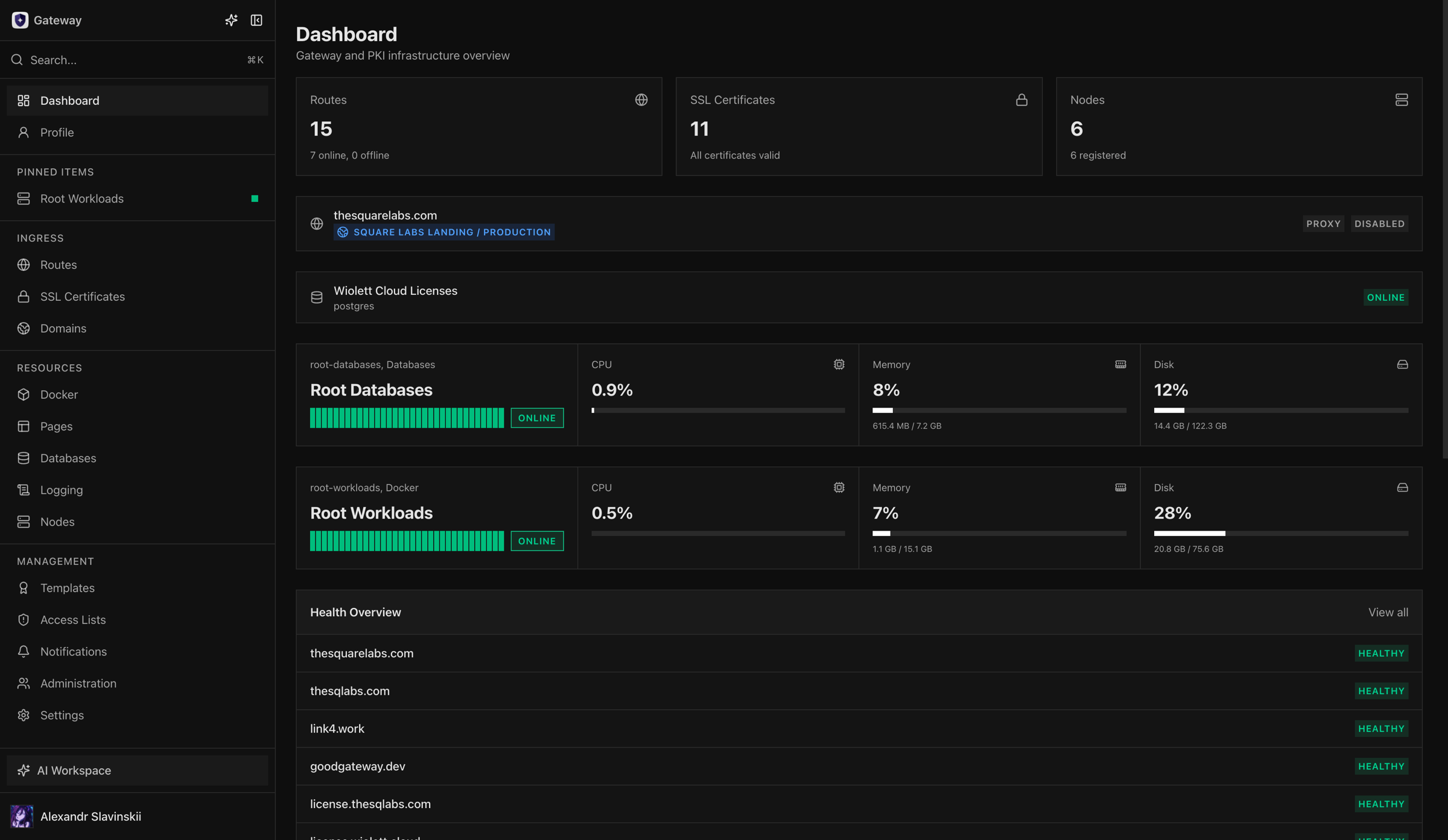
Section titled “Where work starts”The Dashboard shows whether the infrastructure needs attention by collecting warnings, recent operations, and pinned resources. Open a warning to reach the relevant Node, Route, workload, database, or Task. Detailed metrics and logs stay next to the resource they describe.
A successful operation is more than a confirmation message in the interface. For a publication, verify the real response through the domain; for Docker, inspect workload state and logs; for a database, test the application connection; for a long-running operation, check the final Task and the actual resource state.
Core Gateway areas
Section titled “Core Gateway areas”Ingress: publish applications securely
Section titled “Ingress: publish applications securely”Domains, TLS certificates, and Routes are intentionally separate. You can renew a certificate without rebuilding the application or roll back the application without changing DNS. A Route connects a domain to an application and defines access, maintenance, forwarding, and health policy. Start with publishing through Domain, Route, and TLS.
Docker: run and update applications
Section titled “Docker: run and update applications”Docker supports standalone Containers, health-checked Deployments, Compose Projects, images, volumes, networks, registries, and Git builds. Choose a Container for a simple single service, a Deployment for controlled version switching, or a Compose Project for a multi-service application. Operations are recorded as Tasks: if you lose the page, open the existing Task before starting a duplicate.
Databases: give an application exactly the access it needs
Section titled “Databases: give an application exactly the access it needs”Gateway connects PostgreSQL, Redis, and ClickHouse and provisions managed databases on Nodes with the appropriate role. A managed database is private by default. The application receives a binding-specific identity instead of the database owner credential. Removing the binding revokes the application’s access; deleting the database itself removes data, so define backup and recovery first.
Pages: publish static sites with simple rollback
Section titled “Pages: publish static sites with simple rollback”Pages stores immutable static-site Deployments. A Tag determines which Deployment users see, so rollback means moving the Tag to a previously verified version rather than changing files on a server. The Pages journey takes you from an artifact to a public domain.
Nodes and observability: trust confirmed state
Section titled “Nodes and observability: trust confirmed state”Nodes are enrolled Linux hosts with roles such as Ingress, Docker, Databases, Build Worker, Monitoring, or Relay. They establish an authenticated connection to Gateway and report their actual version, capabilities, and health. Metrics and logs explain problems, notifications reach the right team, and the audit history shows who changed the configuration.
Access and administration
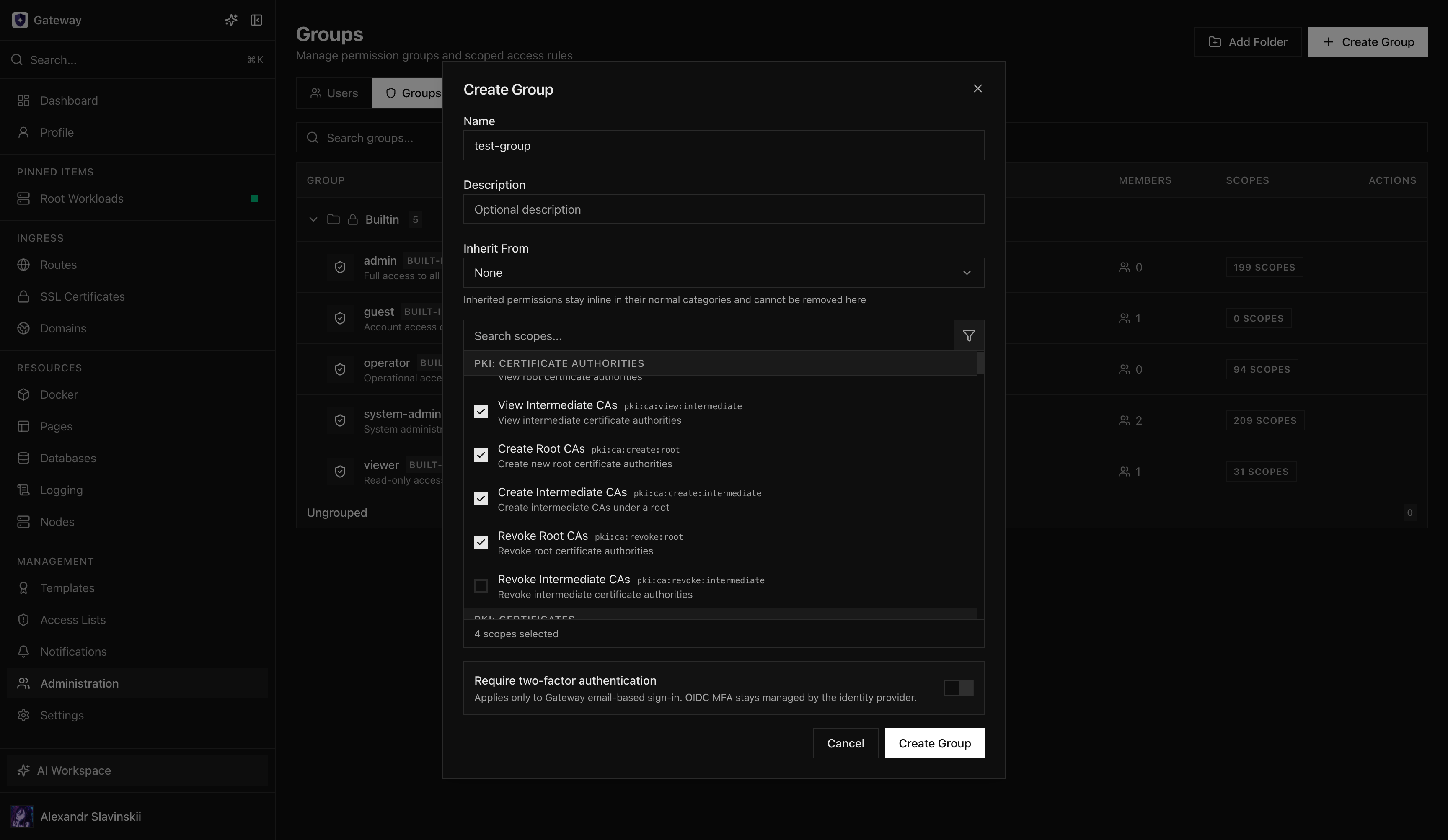
Section titled “Access and administration”Users, groups, resource scopes, authentication methods, API tokens, OAuth clients, integrations, licensing, and updates are centrally administered. Permissions can be limited to a specific Route, Node, workload, or database instead of granting access to an entire Gateway area.
Create groups around job responsibilities before inviting a larger team, and preserve a separately controlled recovery path for system administration. The user profile includes personal preferences, active authorizations, and, when enabled, Gateway Inference usage.
AI and programmatic operation
Section titled “AI and programmatic operation”AI Workspace helps users read documentation, prepare plans, and execute operations within their existing permissions and approval mode. It does not create a separate authorization bypass. The Operations Console, REST API, OAuth clients, and remote MCP expose the same resources and apply the same permission, plan, and audit checks as the interface.
Gateway Inference is a separate data plane with dedicated gwi_ tokens, providers, usage accounting, and model access rules. Enabling AI Workspace or MCP does not automatically grant access to every model or infrastructure action.
Responsibility boundaries and next step
Section titled “Responsibility boundaries and next step”Gateway manages the resources assigned to it and makes changes observable. Networks, DNS zones, source repositories, external providers, and backup storage remain the responsibility of your organization. Before a production launch, complete the production readiness checklist and keep the incident runbook available.