
Compose Projects
Gateway discovers external Docker Compose applications and can manage single-node Compose Projects as durable resources. A project groups services, configuration, immutable revisions, lifecycle operations, logs, Routes, and database bindings under one stable identity.
External discovery is available on every plan. Creating or adopting a managed single-node project requires Personal or higher. Git-backed Compose builds require Business or Enterprise and an online dedicated Build Worker.
Decide between visibility and ownership
Section titled “Decide between visibility and ownership”Discovery gives teams a shared view of an existing Compose application without changing who operates it. Adoption changes the ownership model: Gateway becomes the place where configuration revisions and lifecycle actions are performed. Make that transfer explicit with the application owner, because continuing to run an independent docker compose workflow after adoption creates competing desired states.
Choose managed Compose when several services must be reviewed, applied, stopped, recovered, and audited as one application on one Docker Node. The project owner should define service dependencies, data ownership, secret sources, acceptable downtime, and the rollback conditions for configuration changes. For eligible mount-free projects, Business and Enterprise can enable Workload Availability (HA) to replicate the whole project or replace its serving placement after node loss. Services within each placement stay on one node; Gateway does not split a Compose project across a cluster.
A successful project has one understood configuration owner, a reproducible active revision, healthy required services, known persistent volumes, working Routes and private bindings, and no unexplained drift.
External and managed projects
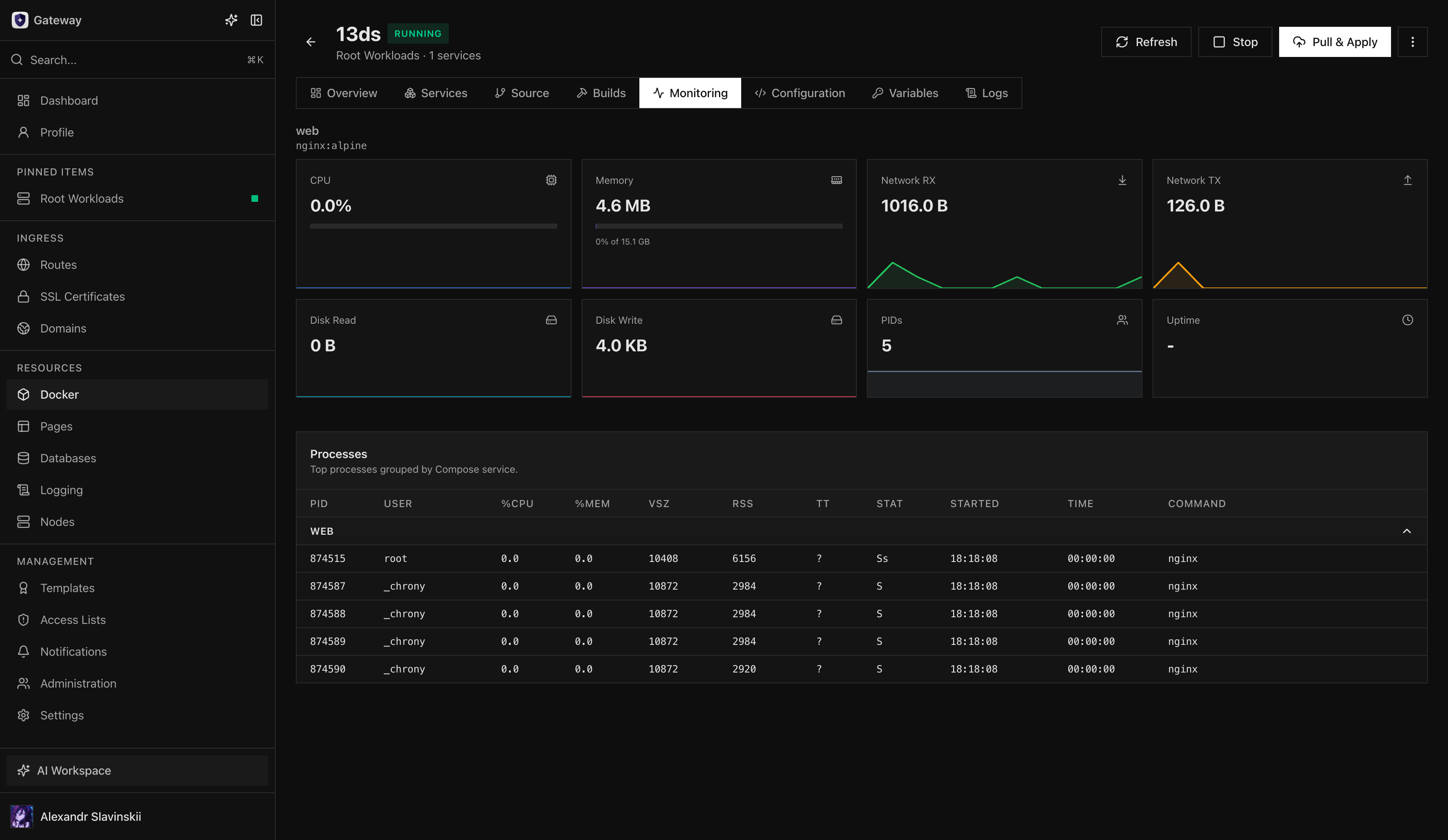
Section titled “External and managed projects”An external project is discovered from canonical Docker Compose labels. Gateway shows inventory, status, service health, monitoring, and aggregated logs, but does not read a host Compose file or mutate the project until an operator explicitly adopts it.
A managed project stores its authored Compose YAML, variables, protected secret keys, and immutable revisions in Gateway. The Docker daemon applies the selected revision through Gateway’s pinned Compose runtime. Single-node lifecycle is available on Personal and higher. Multi-node Workload Availability is available on Business and Enterprise; metric autoscaling and same-node replica scaling remain In development.
Project-owned child containers, named volumes, and non-external networks are controlled through the Compose Project. They are hidden or protected from conflicting standalone lifecycle actions. Images and explicitly external or shared resources remain global Docker resources.
Create a managed project
Section titled “Create a managed project”- Open Docker > Compose and select New Project.
- Choose an online Docker node with the Compose capability.
- Enter a complete single-file Compose configuration.
- Provide non-secret variables and identify protected secret keys separately.
- Run validation and resolve unsupported options, missing variables, port conflicts, or policy violations.
- Create the project and follow the first apply operation to completion.
- Verify every expected service, health state, network, volume, and aggregated log stream.
Manual projects are image-only: images must already be pullable by the target node. Business and Enterprise can attach an allowlisted Git source. Bounded Compose build sections are then resolved by isolated Build Workers, vulnerability policy is applied, and the resulting immutable revision pins approved image digests before deployment.
Adopt an external project
Section titled “Adopt an external project”Adoption is an explicit ownership transfer. Open the discovered project, choose Adopt, and provide the complete configuration that Gateway should own. Gateway validates and prepares the first immutable revision before applying it.
Confirm that the submitted YAML matches the running application’s services, volumes, networks, variables, and secrets. Gateway never trusts a label-supplied host path as source input. After adoption, future changes must go through new revisions rather than direct child-container mutation.
Revisions and lifecycle
Section titled “Revisions and lifecycle”Editing configuration creates a new immutable revision. Use Pull & Apply to pull required images and apply the active revision, Start or Stop for project lifecycle, and Change revision to reapply an earlier valid revision. Inactive revisions can be removed when no operation uses them; the active revision cannot be deleted.
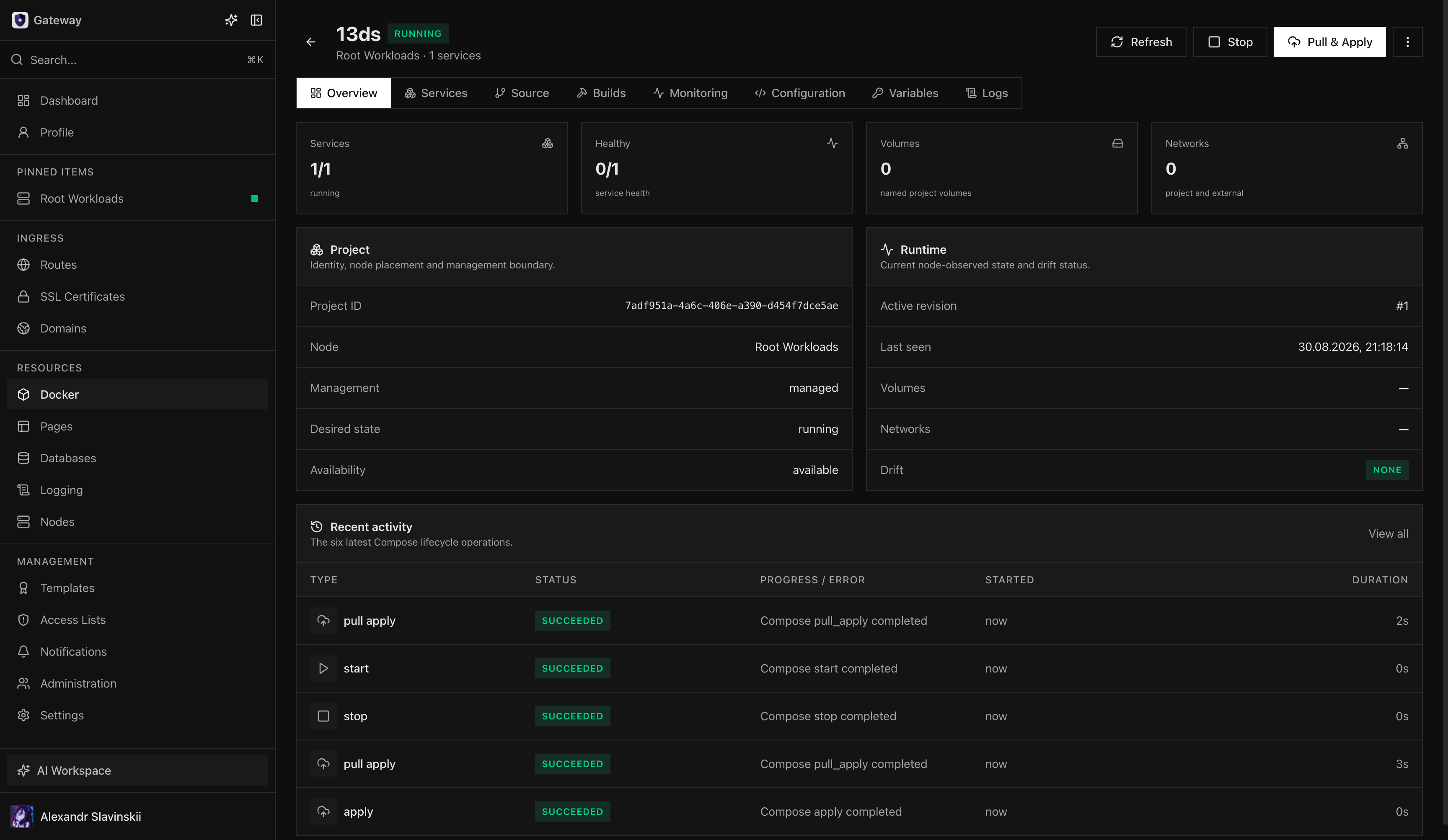
Lifecycle work is represented by durable operations and Tasks. Reloading the page does not cancel an operation. If cancellation is available, refresh the project and daemon-reported state before starting a replacement action.
Routes and database bindings
Section titled “Routes and database bindings”Routes and Secure Links can target a managed Compose service by stable project and service identity rather than an ephemeral container name. Managed database bindings update the project’s revision while preserving authored configuration and protected secrets. Removing a service or binding must go through a new revision so Gateway can reconcile dependent relationships safely.
Drift and troubleshooting
Section titled “Drift and troubleshooting”Gateway reports drift when observed runtime state no longer matches the active revision. Check the current operation, Docker node connectivity, Compose capability, image pull access, service logs, variables, secrets, and daemon diagnostics before retrying.
Do not repair a managed project by deleting its child containers, networks, or revision metadata manually. For an external project, make configuration changes through its original Compose workflow until adoption is complete.
Delete a project
Section titled “Delete a project”Bring a managed project down and remove dependent Routes or bindings before deletion. Deleting the Gateway project record removes its managed revision history, but runtime volumes are not deleted automatically. Back up or remove persistent data separately according to the application’s retention requirements.
Operator details: revision recovery
Section titled “Operator details: revision recovery”Before applying a revision, compare its services, images, variables, secrets, volumes, networks, and exposed ports with the active revision. Record application-specific migration and startup order when services cannot safely restart together. Pull & Apply can replace service runtimes; it does not guarantee uninterrupted connections.
If an operation is interrupted, wait for the Docker Node to reconnect and refresh the observed project state before starting another apply. Use recent operations to determine whether image pull, configuration preparation, service creation, health, or final acknowledgement failed. When the active revision is known-good and the new revision is unsuitable, select the earlier revision through Change revision and verify the full application path.
Rollback changes the Compose configuration and runtimes; it does not reverse writes made to external systems or persistent volumes. Backward-incompatible database migrations need their own recovery plan. Do not delete child containers or project networks to force convergence, because that removes evidence and may interfere with managed cleanup.