
Nodes and daemons
To create VMs directly from Gateway, see Hosting providers. Connected accounts appear under Nodes > Providers. The guide covers VM power, firewall, snapshots, and billing permissions.
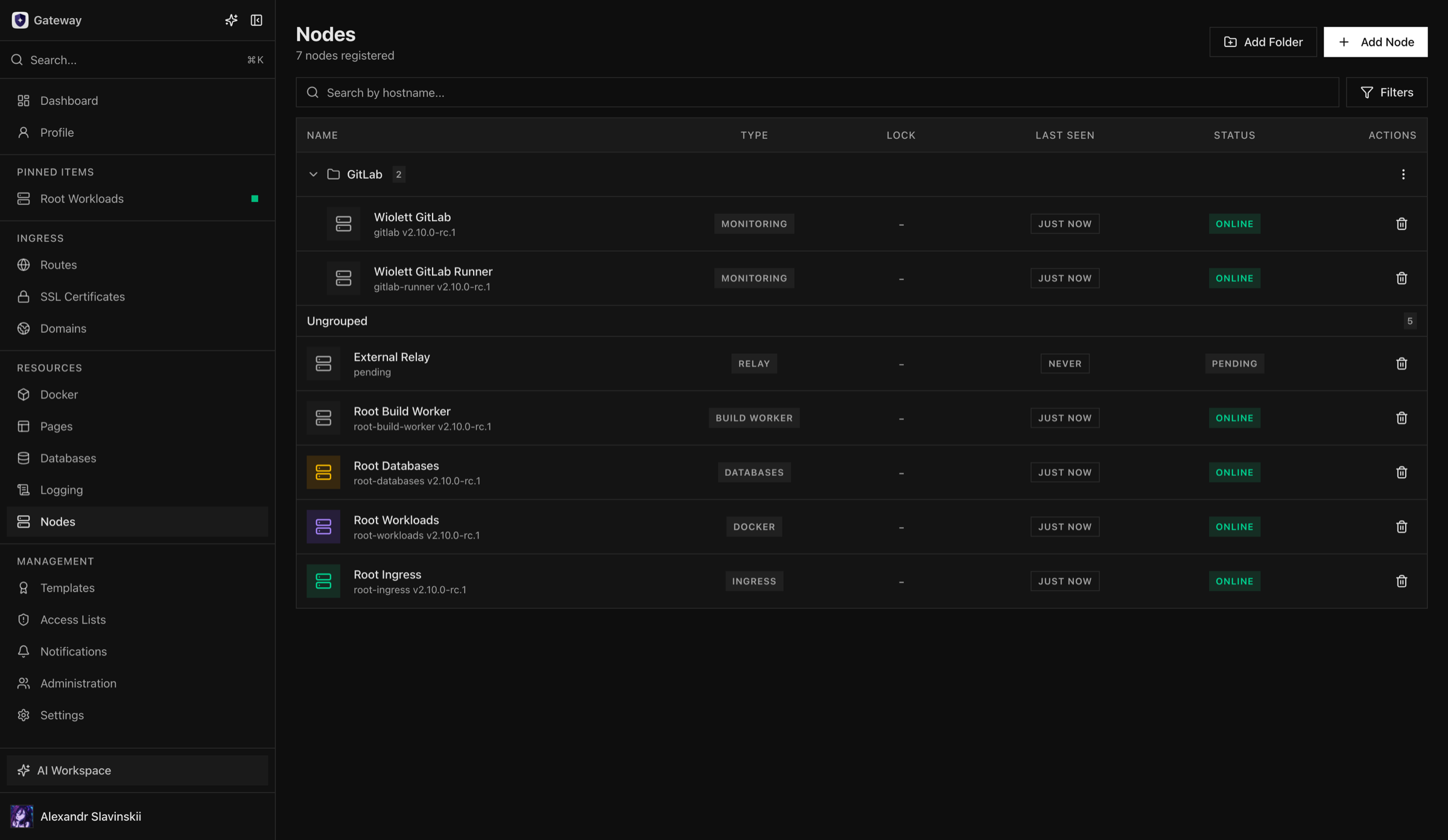
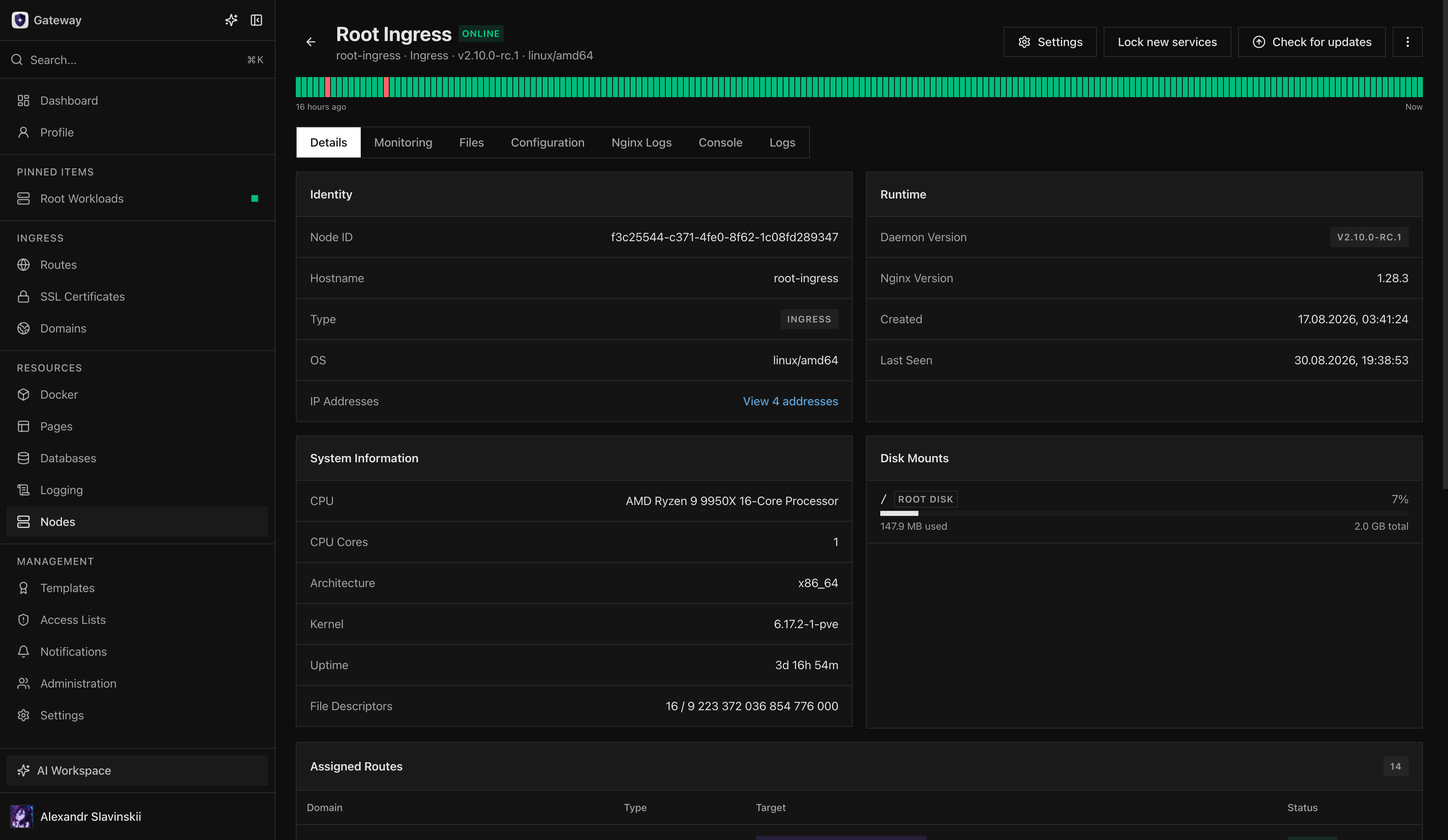
A Node is Gateway’s durable identity for one managed host role. The daemon reports hostname, version, health, inventory, metrics, service addresses, and role-specific capabilities through an outbound authenticated session.
Gateway separates Ingress, Docker, Databases, Build Worker, Monitoring, and Relay responsibilities. Select the exact role during enrollment and do not reuse a daemon identity for a different trust boundary.
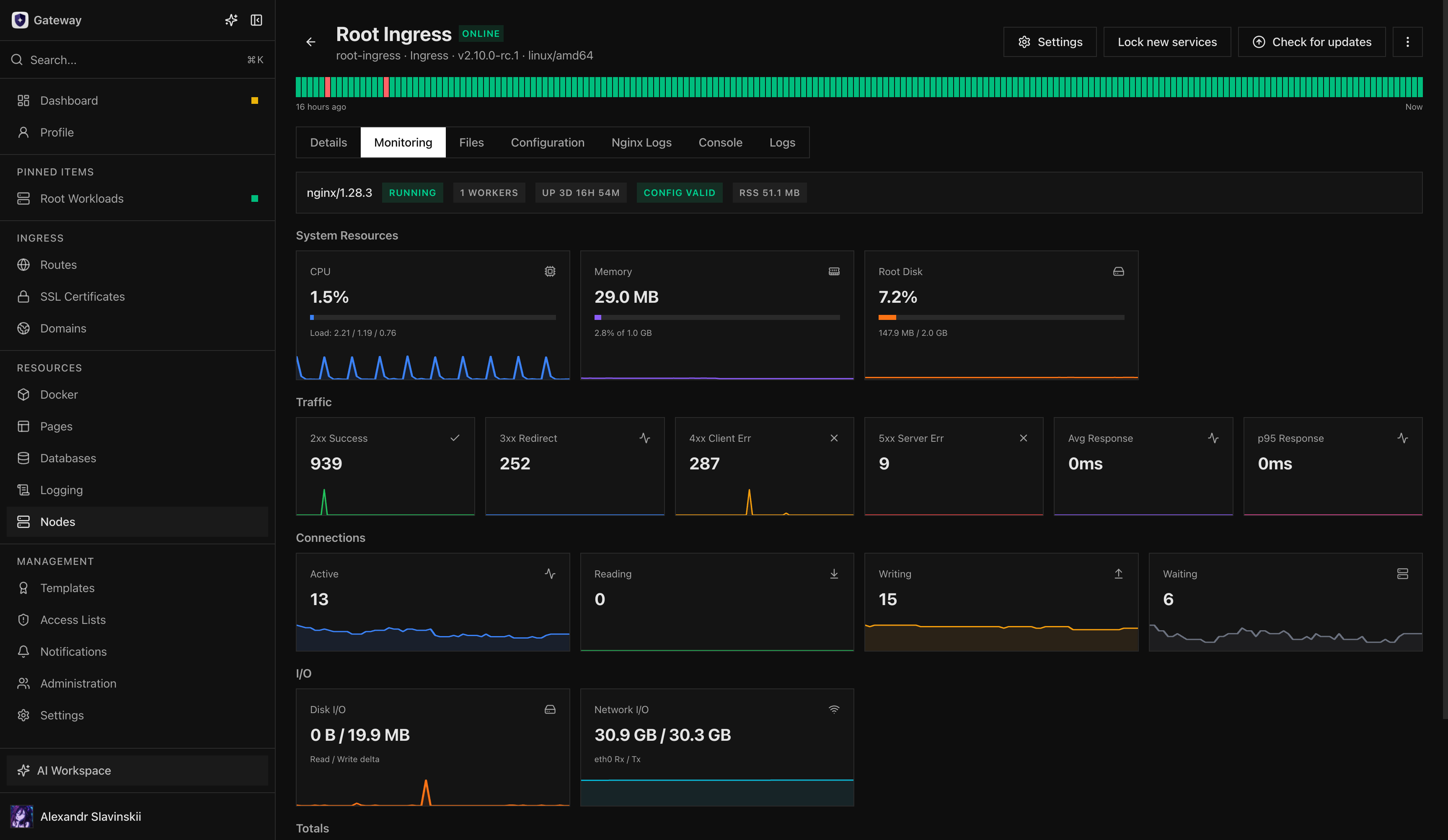
The Node detail page is the primary place to inspect connectivity, capability mismatches, update readiness, resource pressure, recent operations, and the last synchronized state. A stale snapshot can support read-only diagnosis but never authorizes a mutation.
Identity and state
Section titled “Identity and state”Creating a Node first creates a pending durable identity. The generated enrollment token is single-use and bound to that identity. Successful enrollment installs a daemon certificate and changes the Node to an online managed host; deleting and recreating the record intentionally creates a different identity.
Gateway distinguishes several kinds of state:
- desired state: what operators configured in Gateway;
- reported state: the latest inventory and capability report acknowledged by the daemon;
- runtime state: live service health and active operations;
- cached snapshot: the last known read model used when a node is briefly unavailable.
Cached data supports diagnosis but never authorizes a mutation. Actions that need current host state fail closed when the daemon is offline or its capabilities are stale.
Role boundaries
Section titled “Role boundaries”| Role | Owns |
|---|---|
| Ingress | nginx configuration, certificates, Routes, access and traffic telemetry |
| Docker | containers, Deployments, Compose, images, volumes, networks, builds and migration endpoints |
| Build Worker | isolated Git build execution and artifact admission |
| Databases | managed database engines, storage images, direct endpoints and database telemetry |
| Monitoring | host metrics without workload lifecycle access |
| Relay | authenticated node transport and supported private tunnels |
Do not treat role labels as cosmetic. Each installer, daemon profile, capability set, update artifact, and permission boundary is different.
Operational checks
Section titled “Operational checks”For every production Node, confirm:
- hostname and displayed name identify the correct physical host;
- service addresses are reachable from their intended peers;
- version and compatibility state are current;
- expected capabilities are healthy rather than merely present;
- storage, memory, CPU, and disk pressure have alerts;
- update and recovery procedures are documented;
- the Node belongs to the correct folder and permission scopes.
Ownership and trust boundary
Section titled “Ownership and trust boundary”The Node record and daemon certificate are control-plane identities, not aliases for an IP address. Reinstalling a host under a newly created Node produces a new owner even if the hostname and address are unchanged. Resources, grants, operations, and cached inventory attached to the old identity do not transfer merely because the replacement has the same display name.
Protect the host according to its role. A Docker or Databases Node can access application data, an Ingress Node holds private certificate material, a Build Worker processes potentially hostile repository input, and a Relay carries authenticated control and private streams. Avoid combining roles on one host when that would collapse a security or failure boundary. Gateway presents separate roles because their privileges and operational blast radii differ.
The daemon initiates the managed session outward, so routine operation does not require exposing a general daemon administration port. Operators still own host patching, firewall policy, time synchronization, storage health, and the network path to Relay. Gateway can report these dependencies and fail mutations safely, but it cannot repair the underlying host or network.
Acceptance after enrollment
Section titled “Acceptance after enrollment”Do not place production resources on a Node immediately after its status turns online. Wait for a fresh inventory and metrics snapshot, then verify the expected role capabilities and service addresses. Run one low-risk role-specific operation: validate nginx configuration on Ingress, inspect a test workload on Docker, run an admitted test build on Build Worker, or confirm database storage preflight on Databases.
Record the recovery path before assignment: how to reach the host, where daemon and role-service logs live, which persistent identity or data must survive, and which dependent resources need verification after restart. This turns a Node from an installed daemon into an operable production boundary.
Continue with Node roles and installation before enrollment and Node updates and offline behavior before production rollout.